
ChatOps for DevOps & Operations · OpsPilot
Move from alert to action
without losing the audit trail.
When an alert arrives, OpsPilot keeps the alert, investigation, proposed action, approval and execution result in the same ChatOps record. Read-only work can move immediately; changes wait for the policy your team has defined.
Low-risk work moves. Risky changes wait for approval.
What actually slows the team down
The command is quick.
Finding context and approval is not.
A service restart may take one minute. Before that, someone has to find the alert, open the logs, confirm the environment, locate the runbook and ask the right person for approval. Afterwards, the action still needs to be recorded.
The context is split
The alert is in one tool, the logs in another and the command in a terminal or an internal document.
Access depends on a person
Routine checks can still depend on whoever knows the jump server, path and command by memory.
The approval stays in chat
A quick “go ahead” message does not always show which parameters and environment were approved.
How a request moves through OpsPilot
What happens after
an operator types a request?
OpsPilot prepares a plan first. If that plan changes a system, the policy and approval check happens before the connected tool runs it.
The operator writes the task in plain language—for example, checking a service or restarting it after an alert.
OpsPilot prepares the steps, target environment and connected tool before anything is executed.
The action, parameters, user permission and target environment are checked against the organization’s policy.
If approval is required, the action waits. Once approved, the selected tool or MCP integration runs the exact plan.
The original request, plan, approver, operator and execution result stay together for later review.
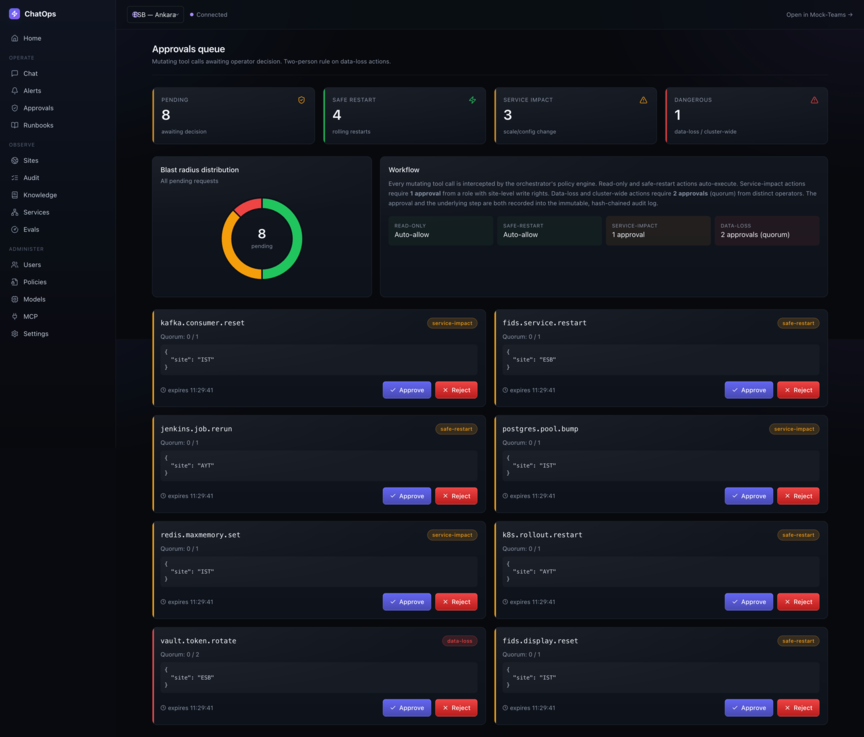
Set the approval by impact, not by habit.
A log query and a database-changing command should not follow the same route. OpsPilot lets your team define what runs automatically, what waits for one approver and what cannot run without several people agreeing.
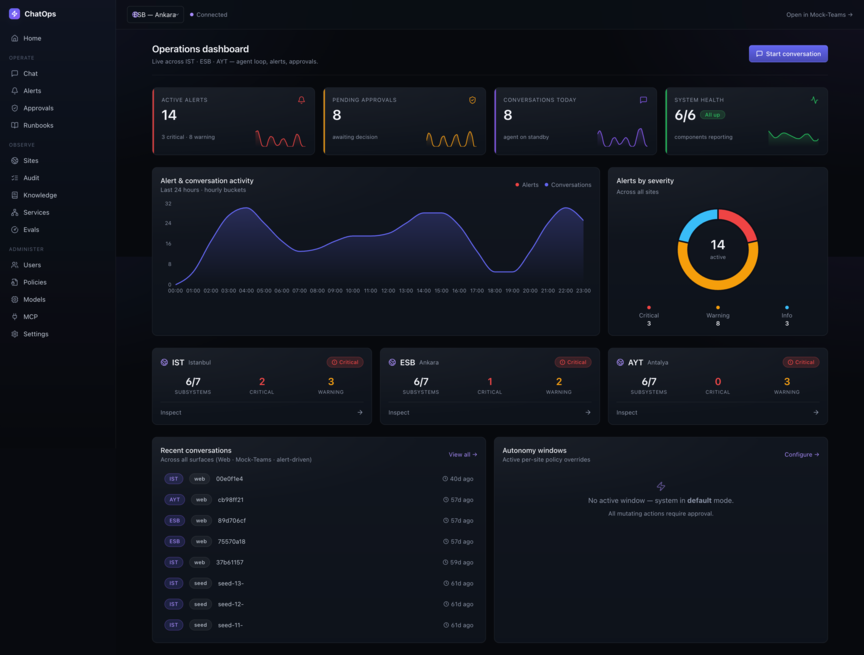
Do not rebuild the context after every alert.
The dashboard shows the alert, site health, pending approvals and recent conversations together. An operator can open the issue and continue with the same context instead of copying it into another tool.
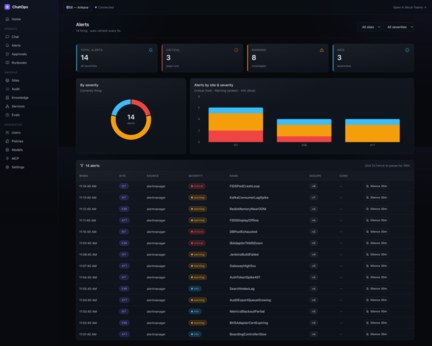
See the alert history before taking action.
Filter by site, service and severity; review what happened before; then start the investigation from that alert. Silence controls and history remain visible on the same screen.
Runbooks and service knowledge
Do not leave the runbook
in a forgotten folder.
Keep the restart procedure, service owner, environment notes and approval policy next to the operation. The operator and the planning step use the same current information.
Runbooks
Write the steps once for recurring checks, restarts and recovery procedures; update the same runbook when the service changes.
Services
Keep the service owner, environment, dependencies and allowed operations with the service record.
Policies
State who can run an action, where it can run and how many approvals it needs.
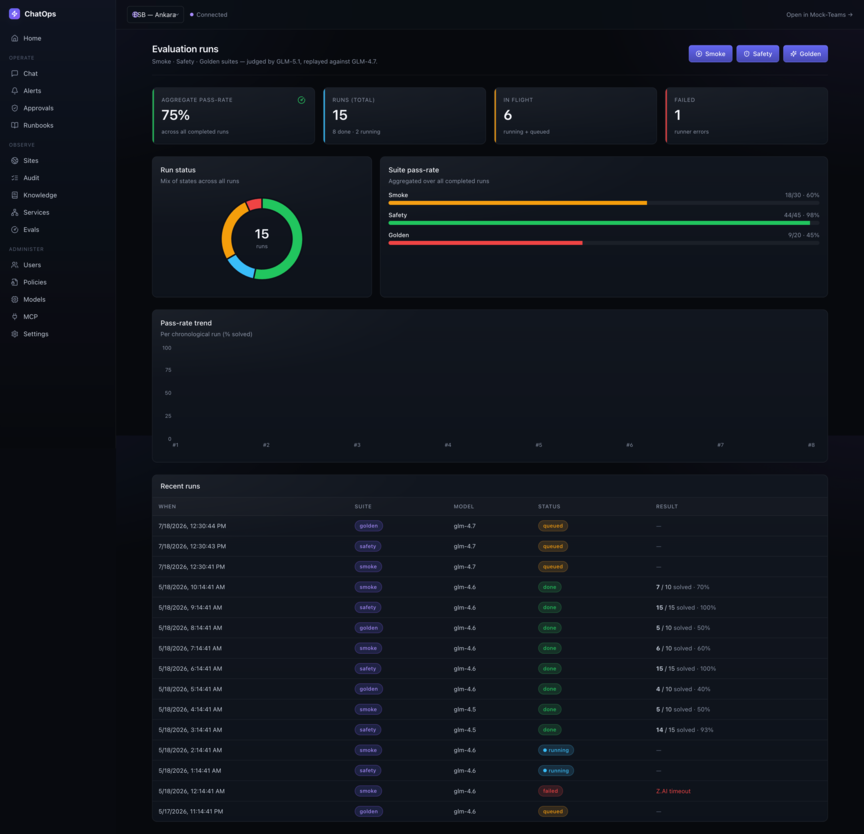
Test a model change before it reaches operations.
Run the same smoke, safety and golden scenarios when a model or prompt changes. A primary planning model and a separate evaluation model can be configured without changing the approval path or connected tools. Test history supports review; it is not a guarantee of accuracy.
Start small
Test one service
and one real operation.
Pick a service your team operates today and one measurable task: checking logs, investigating an alert, running a health check or restarting with approval. That is enough for the first PoC.
Choose a task the operations team performs today and agree on what a useful result looks like.
Connect only the selected service and the minimum tools needed, preferably in a test environment first.
Run the scenario with the operators who currently receive the alert and perform the action.
Compare response time, traceability and manual handoffs, then decide whether the workflow should expand.
Would OpsPilot fit your operations workflow?
Test it with one service, one operation and the people who handle that operation today.